
Author: Rakesh Retails

  • How To Check RAM In Android Phone

    How To Check RAM In Android Phone

    RAM refers to Random Access Memory which functions like short term memory that retains data you are presently accessing. Knowing how to check RAM in Android can be beneficial for understanding how quickly your phone provides access to the data from apps you are currently using and how many apps your smartphone can multitask between at a time. Phones with ample RAM are great at multitasking, gaming and for performing demanding tasks. 

    Methods to Check RAM in Android Phones

    There are four leading methods that help understand how to find RAM in an Android phone. These methods involve simple steps that even casual users can easily follow:

    Method 1. Check RAM via Phone Settings

    The most straightforward method to check RAM in an Android phone is through the Settings app. Open it on your phone and search for ‘Battery and Device Care.’ In some phones, you will find the ‘Device Care’ option under Digital Wellbeing. You will then find the ‘Memory’ section. Here, information about the model’s RAM is available, along with current use and availability. 

    Method 2. Check RAM Using Developer Options Menu

    When you check your phone’s RAM through the ‘Device Care’ setting, it may only display basic details. If you want access to in-depth information about RAM, this method is beneficial. Go to your phone’s settings and find ‘About Phone.’ If you tap the ‘Build number’ option quickly seven times, a message like ‘You are now a developer’ will pop up. Now that the ‘Developer options’ setting has been unlocked, you should be able to see it in the settings. When you tap on it and open the ‘Memory’ section, your device’s total RAM capacity will be displayed. 

    Method 3. Check RAM with Third-Party Apps

    Certain third-party apps can be installed to get detailed information about RAM. To install them, open the Google Play Store and search for ‘Device Info’ or ‘CPU-Z.’ Once the app is downloaded, you can view memory on Android, or the ‘RAM’ option will be available. You can even access other hardware information that is significant. 

    Method 4. Check RAM from Recent Apps/Device Care Widgets

    Some devices offer access to the RAM that is currently being used, at the bottom or top of the recent apps screen. If this option is not available, you can go to the settings, open ‘Device Care,’ and tap on ‘Memory.’ This helps check total RAM usage, and you can free up memory if required. 

    If you want to evaluate detailed usage, enable developer options for RAM check. Once enabled, look for an option like ‘Show memory status’ and turn it on. This setting may be available under ‘Home screen.’ Enabling this option can help turn on the display memory status at the top of the recent apps screen.

    Conclusion

    The RAM determines your phone’s speed and allows it to multitask. It helps provide quick access to crucial data from apps that are being actively used, so that these apps function smoothly. Higher RAM enables a greater volume of background activity without issues like lags or crashes. Checking your phone’s RAM helps understand its performance capabilities. Several methods of checking RAM are available, each offering distinct information. Ensure that you use the right method for the type of information you seek.
  • How BEE’s updated star ratings affect your electricity bill: A simple guide

    How BEE’s updated star ratings affect your electricity bill: A simple guide

    Electricity bills tend to spike during summer, and air conditioners are usually the biggest contributors. With the latest revisions by the Bureau of Energy Efficiency (BEE), many consumers are wondering how new BEE star ratings affect electricity bill calculations.

    The updated efficiency benchmarks mean that newer AC models are tested under stricter performance standards, directly influencing long-term power consumption. If you’re planning to upgrade your AC, understanding how the new BEE star rating impacts electricity bill outcomes can help you make a smarter and more cost-effective decision.

    What changed in the latest BEE star rating update?

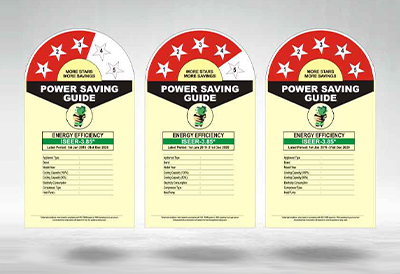
    BEE periodically revises star rating criteria to encourage manufacturers to meet higher efficiency standards. Under the latest update, the minimum required ISEER (Indian Seasonal Energy Efficiency Ratio) values have been increased. This means that an AC previously rated 5 Star under older norms may now qualify as 4 Star under the new scale. In simple terms, the standards have become tougher.

    How do new star ratings directly impact your electricity bill?

    The updated norms by the Bureau of Energy Efficiency directly affect how much electricity your air conditioner consumes every day. Under the stricter rating system, higher star-rated ACs are required to deliver the same cooling while using fewer units of electricity. This means a 5 Star AC built under the latest guidelines is significantly more efficient than older models with similar ratings.  

    Since your electricity bill is calculated based on the number of units consumed, even a small reduction in hourly consumption can lead to noticeable monthly savings. Over an entire summer season — especially if you use your AC for 6–8 hours daily — the difference between a 3 Star and 5 Star model can amount to thousands of rupees.

    LG 1.5 Ton 5 Star AI+ Dual Inverter Split AC 

    Daikin Premium Series 1.5 Ton 5 Star Inverter Split AC

    3 Star vs 5 Star AC – Real bill comparison

    When comparing a 3 Star and a 5 Star air conditioner, the main difference lies in how efficiently they use electricity to deliver the same level of cooling. Both models may have the same tonnage (for example, 1.5 tons) and cool a room equally well, but the 5 Star AC consumes fewer units of electricity per hour because it meets stricter efficiency standards set by the Bureau of Energy Efficiency.

    Let’s take a typical 1.5-ton inverter AC used for around 8 hours daily: 

    3 Star AC average consumption: ~1.6 units per hour 

    5 Star AC average consumption: ~1.3 units per hour 

    Daily Consumption (8 hours): 

    2 Star → ~14.0 units 

    3 Star → ~12.8 units 

    4 Star → ~11.6 units

    5 Star → ~10.4 units 

    Monthly Consumption (30 days): 

    2 Star → ~420 units 

    3 Star → ~384 units 

    4 Star → ~348 units

    5 Star → ~312 units 

    Over an entire cooling season, the difference in unit consumption becomes substantial. The 5 Star AC consistently uses fewer units while maintaining the same temperature, thanks to higher ISEER ratings and improved inverter compressor technology. 

    How much can you actually save per year?

    The amount you can save annually with a higher star-rated AC depends mainly on how many hours you use it each day and the electricity tariff in your area. Since a 5 Star AC consumes fewer units of electricity per hour compared to a 3 Star model, the savings grow as usage increases. 

    For instance, if a 1.5-ton 5 Star inverter AC uses around 2–3 fewer units per day than a comparable 3 Star AC (based on 8 hours of daily usage), that difference can add up to approximately 60–90 units saved per month.  

    Over a typical cooling season of 5–6 months, total savings can reach 350–500 units or even more, depending on usage patterns. Simply put, the longer and more frequently you use your air conditioner, the greater the annual savings from choosing a higher BEE star rating.

    How to Choose the Right Star Rating Based on Your Usage

    Choosing the correct star rating depends primarily on your usage pattern:

    • 2–4 hours daily: A 2 Star or 3 Star inverter AC may be sufficient for occasional use.
    • 6–8 hours daily: A 4- or 5-Star AC is recommended. 
    • 8+ hours daily: A 5 Star inverter AC offers maximum long-term savings. 

    Also consider room size and tonnage. An oversized or undersized AC can increase electricity consumption regardless of the star rating. Inverter AC technology further improves efficiency by adjusting compressor speed instead of switching on and off repeatedly. 

    If your goal is to minimise long-term expenses, the answer to “how does the new BEE star rating impact electricity bill” becomes clear: higher-rated, newer models deliver better savings, especially for heavy usage households. 

    Conclusion

    The latest updates by the Bureau of Energy Efficiency have made star ratings stricter and more meaningful. Understanding how new BEE star ratings affect electricity bill calculations helps you choose an AC that balances upfront cost and long-term savings. While 5 Star models cost more initially, they significantly reduce power consumption over time. For frequent AC users, investing in a higher-rated inverter model under the new norms is a financially smarter decision that also supports energy conservation.